OPSX Workflow - a structured approach to working with AI coding assistants
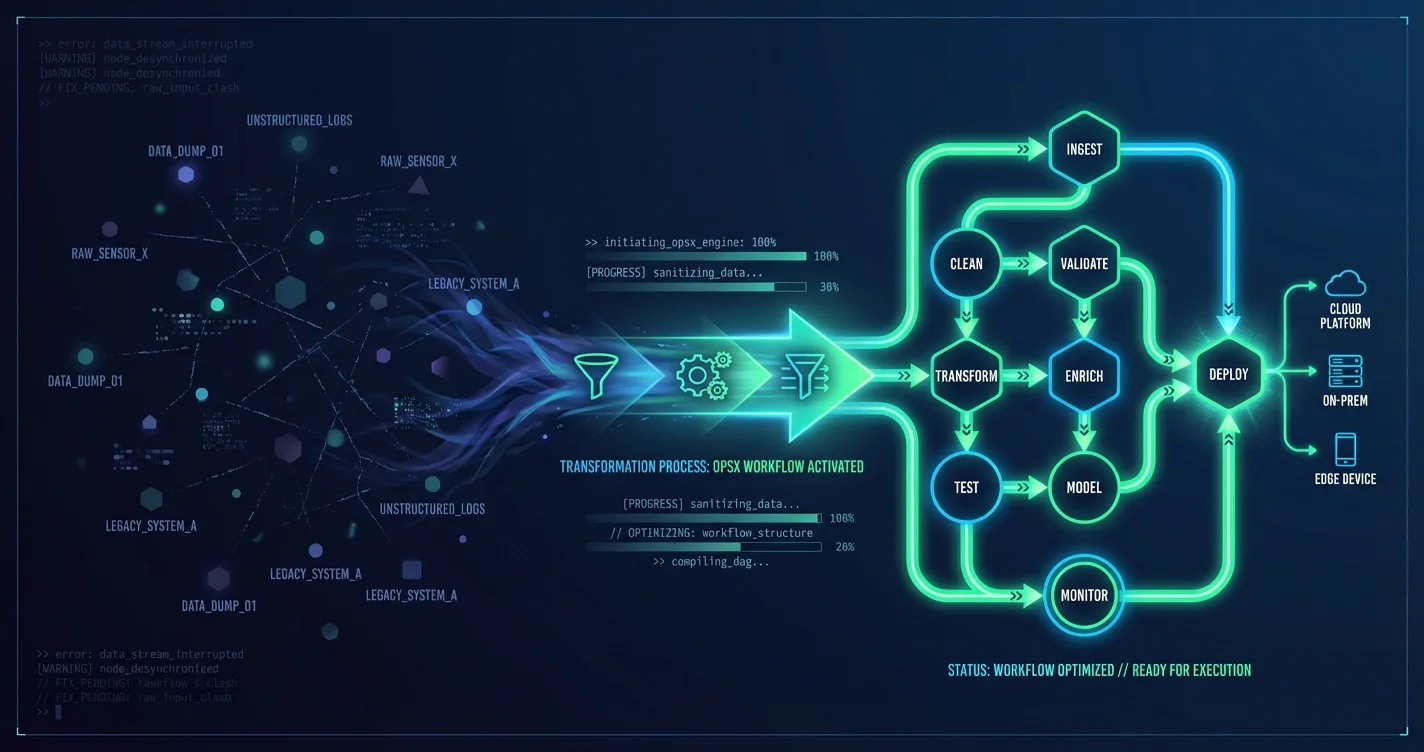
OPSX Workflow - a structured approach to working with AI coding assistants
Most developers treat AI coding assistants like a faster Stack Overflow - you throw in a question, get an answer, and go back to your code. The problem? You lose context between sessions, repeat the same explanations, and the AI starts from scratch every single time.
This reactive approach works for small changes. When you're building something bigger - a feature requiring changes across multiple files, refactoring an entire module, a new authorization system - chaos builds up. You start with a prompt, the AI generates code, you test it, something doesn't work, you come back with another prompt, the AI doesn't remember context from the previous session.
From my own experience, I know that legacy workflows for AI development fight against how work actually looks. You're "in the planning phase," then "in the implementation phase," then "done." But real work doesn't work that way. You implement something, realize the design was wrong, need to update specs, then continue implementing. Linear phases fight against reality.
OPSX solves this problem. It's a fluid, iterative workflow for OpenSpec - instead of rigid phases, you get actions that you can perform in any order.
What is OPSX and why it was created
OPSX is the standard workflow for OpenSpec. Instead of one big command that creates everything at once, you have a set of actions to use when you need them.
The legacy OpenSpec workflow works, but it's locked down:
- Instructions hardcoded in TypeScript - buried in the code, you can't change them
- All-or-nothing approach - one command creates everything, you can't test individual pieces
- No customization - the same workflow for everyone, with no way to adapt
- Black box on bad outputs - when the AI generates weak output, you can't fix the prompts
OPSX opens this up. Now anyone can experiment with instructions, test each artifact granularly, customize workflows, and iterate quickly without rebuilds.
Legacy workflow:                      OPSX:
+------------------------+           +------------------------+
|  Hardcoded in package  |           |  schema.yaml           |<-- You edit this
|  (can't change)        |           |  templates/*.md        |<-- Or this
|        |               |           |        |               |
|  Wait for new release  |           |  Instant effect        |
|        |               |           |        |               |
|  Hope it's better      |           |  Test it yourself      |
+------------------------+           +------------------------+
The key difference: OPSX is actions, not phases. Do what you need, when you need it.
OPSX Commands - Overview
OPSX gives you a set of commands for different moments in your work. There's no obligation to use them in a specific order - it's a toolkit, not a checklist.
| Command | What it does |
|---|---|
| /opsx:explore | Thinking, investigating a problem, comparing options |
| /opsx:new | Start a new change |
| /opsx:continue | Create the next artifact (based on dependencies) |
| /opsx:ff | Fast-forward - all planning artifacts at once |
| /opsx:apply | Implement tasks |
| /opsx:sync | Sync delta specs to main |
| /opsx:archive | Archive after completion |
A typical flow looks like this:
# Exploring an idea
/opsx:explore

# Starting a new change
/opsx:new

# Iteratively creating artifacts
/opsx:continue  # repeat until everything is ready

# Implementation
/opsx:apply
Pro tip: Use /opsx:ff when you have a clear picture of what you want to build. /opsx:continue is better for exploration, when you want to iterate one artifact at a time.
How OPSX Works - Artifact Architecture
Under the hood, OPSX uses a Directed Acyclic Graph (DAG) to manage artifacts. Sounds complicated, but the concept is simple: artifacts have dependencies that must be fulfilled before they can be created.
                              proposal
                             (root node)
                                  |
                    +-------------+-------------+
                    |                           |
                    v                           v
                 specs                       design
              (requires:                  (requires:
               proposal)                   proposal)
                    |                           |
                    +-------------+-------------+
                                  |
                                  v
                               tasks
                           (requires:
                           specs, design)
Each artifact can be in one of three states:
   BLOCKED ----------------------> READY ----------------------> DONE
      |                        |                       |
   Missing                  All deps               File exists
   dependencies             are DONE               on filesystem
Key concepts:
- Dependencies are enablers, not gates - they show what's possible, not what's required next
- Filesystem as state - a file existing on disk = artifact DONE
- Topological ordering - the system knows what to create next through topological sorting of the graph
This means /opsx:continue always knows which artifact is next to create. You don't need to remember what already exists.
Workflow Customization - Schemas and Configuration
OPSX lets you define custom workflows through schemas. The default spec-driven schema looks like this: proposal -> specs -> design -> tasks. But you can create your own.
Custom schema example:
name: research-first
artifacts:
  - id: research
    generates: research.md
    requires: []

  - id: proposal
    generates: proposal.md
    requires: [research]

  - id: tasks
    generates: tasks.md
    requires: [proposal]
This schema adds research before proposal - useful when you're working on something that requires investigation before committing to a specific solution.
Project configuration lets you inject context into all artifacts:
# openspec/config.yaml
schema: spec-driven

context: |
  Tech stack: TypeScript, React, Node.js
  API conventions: RESTful, JSON responses
  Testing: Vitest for unit tests, Playwright for e2e

rules:
  proposal:
    - Include rollback plan
    - Identify affected teams
  specs:
    - Use Given/When/Then format
Context injection ensures the AI knows your project's conventions. Instead of repeating "we use TypeScript, REST API, Vitest" in every prompt, you define it once in the config.
When to Update an Existing Change vs Start a New One
You can always edit the proposal or specs before implementation. But when does refinement become "this is already different work"?
A proposal defines three things:
- Intent - What problem are you solving?
- Scope - What's in/out of bounds?
- Approach - How do you plan to solve it?
                        +-------------------------------------+
                        |     Is it the same work?            |
                        +--------------+----------------------+
                                       |
                    +------------------+------------------+
                    |                  |                  |
                    v                  v                  v
             Same intent?      >50% overlap?      Can you close
             Same problem?     Same scope?        the original change?
                    |                  |                  |
          +--------+--------+  +------+------+   +-------+-------+
          |                 |  |             |   |               |
         YES               NO YES          NO  NO             YES
          |                 |  |             |   |               |
          v                 v  v             v   v               v
       UPDATE            NEW  UPDATE       NEW  UPDATE         NEW
| Test | Update | New change |
|---|---|---|
| Identity | "The same thing, refined" | "Different work" |
| Scope overlap | >50% overlap | <50% overlap |
| Closure | Can't close without changes | Can close, new one stands alone |
Updating preserves context. A new change provides clarity.
Think of it like git branches - commit as long as you're working on the same feature, start a new branch when it's genuinely new work.
Getting Started with OPSX
Setup is straightforward:
# Installation
openspec init

# Check available schemas
openspec schemas

# Status of active changes
openspec status
openspec init creates skills in .claude/skills/ that AI coding assistants automatically detect.
Typical workflow from scratch:
1. /opsx:explore    -> think through the idea
2. /opsx:new        -> start a change
3. /opsx:continue   -> create proposal
4. /opsx:continue   -> create specs
5. /opsx:continue   -> create design
6. /opsx:continue   -> create tasks
7. /opsx:apply      -> implement
8. /opsx:archive    -> finish
Tips for getting started:
- Use /opsx:explore before committing to a change - think through your options
- /opsx:ff when you know what you want, /opsx:continue for exploration
- During /opsx:apply - if something's off, edit the artifact and continue (no phase gates!)
Key Takeaways
- OPSX is actions, not phases - do what you need, when you need it
- Artifacts form a dependency graph - the system knows what's ready to create
- Iteration is natural - editing specs during implementation isn't a bug, it's a feature
- Schemas are customizable - define your own workflow tailored to your process
- Context injection - the AI knows your project's conventions without repeating them in every prompt
Want to implement OPSX in your team?
I help teams transition from chaotic prompting to structured AI workflows. Get in touch, and we'll figure out if OPSX fits your process.
Book a free consultationUseful Resources
- OpenSpec GitHub - official project repo
- OpenSpec Discord - community and feedback
- 5 techniques for working with Claude Code - related article on AI coding
- Second Brain with Obsidian and Claude Code - how to manage context and skills
FAQ
Does OPSX work only with Claude Code or also with Cursor and other AI coding assistants?
OPSX generates skills to .claude/skills/ which are cross-editor compatible. It works with Claude Code, Cursor, Windsurf, and other assistants that support the skills format. The key is that openspec init creates the appropriate files for each editor automatically.
What's the difference between the /opsx:continue and /opsx:ff commands, and when should you use which?
/opsx:continue creates one artifact at a time, which is ideal for exploration when you want to iterate and verify each step. /opsx:ff (fast-forward) creates all planning artifacts at once. Use ff when you have a clear picture of what you're building, continue when you want to iterate and think through each artifact individually.
Can I create a custom OPSX schema tailored to my team's workflow?
Yes, use openspec schema init my-workflow to create a new schema from scratch, or openspec schema fork spec-driven my-workflow to start from an existing one. Schemas are YAML files in openspec/schemas/ where you define artifacts, their outputs, and dependencies between them.
How does OPSX handle the situation when during implementation it turns out the design is wrong?
This is a core feature of OPSX - you simply edit design.md directly and continue. /opsx:apply picks up from where you left off. No "phase gates" means you can go back to any artifact whenever you want without restarting the entire process.
Do I need the openspec CLI installed to use OPSX commands in the editor?
Yes, the skills (/opsx:*) call the openspec CLI under the hood. Slash commands are the user interface, the CLI is the engine that does the actual work. Install via npm install -g openspec or according to the instructions in the project repo.